
OneSearch: DeepSearch Finder
iKame Applications - Begamob GlobalProductivity
4.2173.00 Reviews
- Version
- 1.5.4
- Installs
- 500.00K
- Age Rating
- Everyone
Screenshots
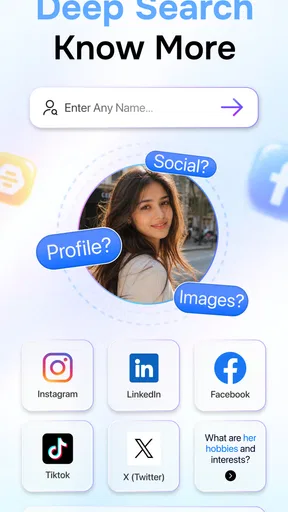
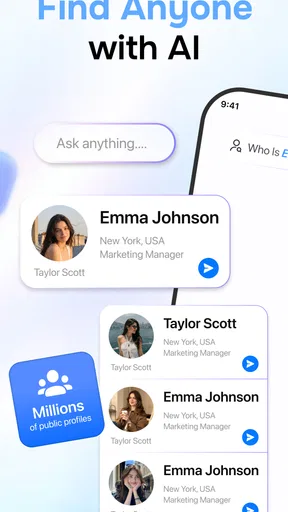
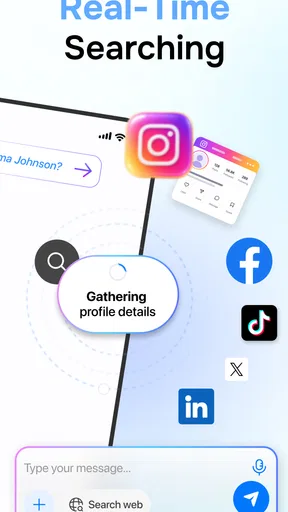
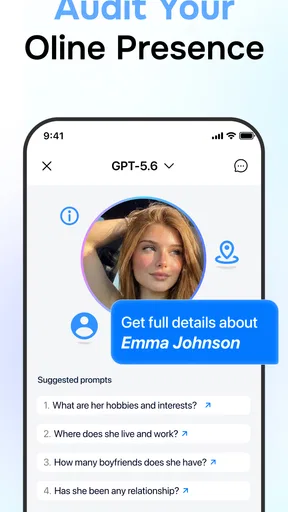
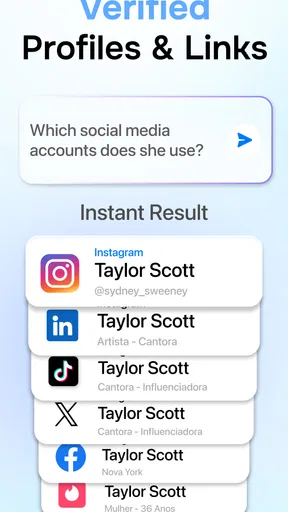

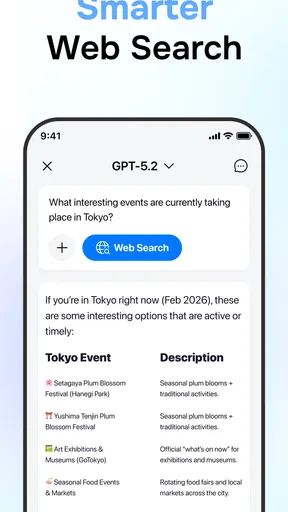
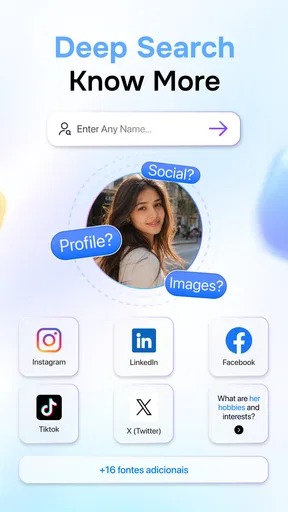
Our Review of OneSearch: DeepSearch Finder
 Analysis by Appyee
I approached OneSearch: DeepSearch Finder as a productivity app for the moments when a normal web search feels too shallow. Its central promise is easy to understand: combine deep search with an AI chat assistant so I can explore a question, refine it, and keep the conversation moving instead of starting a brand-new search for every detail. That focus gives the app a clearer identity than a general-purpose assistant, although it also means the quality of my experience depends heavily on how precisely I ask for what I need.
The app is free to install and is suitable for everyone, which makes it easy to try without committing money first. It comes from iKame Applications - Begamob Global and sits in the productivity category rather than entertainment or social networking. The current version is 1.5.4, and the app runs on Android 7.0 or later. In the store, it has an average rating of 4.2 from around 15 thousand ratings, with more than 500 thousand installs. Those figures suggest that it has found a substantial audience, but they do not replace a careful look at how it fits into a real working routine.
Deep search is the feature that changes the experience
The most important thing about OneSearch is not simply that it can answer questions. Many apps can do that now. What matters here is the attempt to make search feel more like a guided investigation. I can begin with a broad subject, ask for clarification, narrow the topic, and continue from the same line of thought. That is more useful than treating every search as an isolated sentence.
For example, if I am planning a weekend trip, I might start by asking about the best area for a particular kind of visit. A conventional search usually gives me pages to open and compare. An AI chat assistant can help me turn that broad question into smaller decisions: what to prioritize, which details deserve checking, and how to organize the information. The practical advantage is reduced searching friction, not magic accuracy. I spend less time rewriting the same context, but I still need to judge whether an answer is current and appropriate for my situation.
This distinction is important. OneSearch is most convincing when I use it as a research companion, not as an unquestionable authority. The app can help me explore a topic, identify useful angles, and make a messy question more manageable. It should not replace direct verification when the decision involves money, health, travel changes, legal obligations, or any other detail where an outdated answer could cause trouble.
Why a conversational search can be more useful than a list of links
Traditional search remains better when I already know the exact page, product, document, or phrase I want. Typing a precise query into a standard search engine can be faster than explaining the same request to an assistant. OneSearch becomes more interesting when I am still defining the problem. The conversational format lets me ask follow-up questions in ordinary language rather than guessing the perfect keywords immediately.
I also find this approach useful for comparison work. Instead of searching for each option separately, I can describe the criteria that matter and then ask for a clearer comparison. The benefit is not that the app makes the final decision for me. The benefit is that it helps me expose the trade-offs I might otherwise overlook. If I am choosing a study method, planning a purchase, or trying to understand a technical subject, that structure can save time at the beginning of the process.
There is a catch: conversational answers can sound more confident than they deserve. A polished explanation may encourage me to stop checking too early. I therefore treat the assistant as a first-pass researcher. When the answer includes a fact that matters, I look for a reliable source before acting on it. This habit is especially important because the app’s main strength—making research feel smooth—can also make weak information feel deceptively convenient.
How I use it in practice
My best results come from giving the assistant a clear job rather than a vague command. “Tell me about cameras” is too broad to produce a useful working session. A better request explains the purpose, the audience, and the limits: compare two types of cameras for a beginner who mainly photographs indoors, then explain which compromises matter most. That kind of prompt gives the search assistant a direction and makes the next question easier to formulate.
I also prefer a staged workflow. First, I ask for an overview. Next, I challenge the weak points by asking what could make the recommendation unsuitable. Then I request a shorter decision summary or a checklist. This three-step pattern is one of the more useful ways to handle an AI search tool because it separates discovery from judgment. It prevents me from accepting the first response as the finished answer.
Another practical tip is to ask for distinctions, not just conclusions. Instead of asking which option is “best,” I ask which option is better for a specific budget, level of experience, time limit, or working environment. This produces more useful guidance because the answer has to account for a real constraint. With OneSearch, the chat format makes those refinements feel natural, and I do not have to reconstruct the entire question each time.
For study, I would use the app to turn a broad chapter into a sequence of questions. I might ask for a plain-language explanation, then request an example, then ask for a short quiz or a list of terms to review. The important insight is that the app is more valuable as a tool for moving between levels of understanding than as a place to copy a finished paragraph. If I ask it to explain the same idea in a different way, I am using the conversational design productively.
A realistic everyday scenario
Imagine that I need to replace a home router but do not understand the specifications. I could search each technical term separately, open several pages, and try to remember which explanation belongs to which model. With OneSearch, I can begin by describing the size of my home, the number of connected devices, and the kind of internet use I have. I can then ask what specifications actually matter, which features are unnecessary for my situation, and what questions I should ask before buying.
That workflow does not guarantee the perfect purchase, but it improves the quality of my preparation. I am less likely to focus on an impressive-sounding feature that has no practical benefit for me. I can also ask the assistant to explain unfamiliar terms in simpler language, which makes the research less intimidating. Before spending money, I would still check current product details and independent reviews directly, because a conversational summary is not a substitute for up-to-date specifications.
The same pattern works for a work task. If I receive a subject I know little about, I can ask OneSearch to map the topic, identify the main concepts, and suggest a sensible order for learning them. I would then use the resulting outline as a starting point for deeper reading. This is where the app feels different from a basic notes app: it helps me form the questions that should guide the research before I begin collecting information.
Where the experience has limits
The first trade-off is trust. Deep search and AI conversation can make information easier to digest, but ease of reading is not proof of correctness. I would be cautious with exact figures, recent developments, specialist advice, and recommendations that depend on local conditions. The app is useful for orientation and comparison, yet I would not let it be the only source for a high-consequence decision.
The second trade-off is prompt effort. Although the interface is designed to make searching more natural, vague questions still lead to broad answers. Users who expect to type a few words and receive a perfectly tailored result may feel disappointed. In my experience, the app rewards people who are willing to add context and ask a second or third question. That is not a serious flaw, but it is part of the learning curve.
There is also a difference between exploration and retrieval. If I need a known fact from a trusted page, a normal search engine or a bookmarked source may be quicker. If I need to browse official documentation, inspect a long original article, or compare primary sources line by line, I want direct access to those materials. OneSearch is more helpful before that stage, when I am trying to understand what to look for and how the pieces relate.
The free entry point is welcome, but users should pay attention to the app’s commercial model. OneSearch is free, while in-app purchases range from $6.99 to $69.99 per item. That does not automatically make it poor value, but anyone who expects unlimited advanced use without additional cost should review the purchase prompts carefully before building the app into a daily workflow. For occasional questions, the free starting point may be enough; for intensive research, the cost becomes a factor in the comparison with ordinary search tools.
Another limitation is that an AI assistant can encourage passive reading. It is easy to accept a well-organized response without testing the reasoning behind it. I get better results when I make the app show alternatives, explain assumptions, and identify uncertainties. Asking “what would change this recommendation?” is more valuable than repeatedly asking for a more enthusiastic answer. This is a small but important habit for keeping control of the research process.
How it compares with familiar alternatives
Compared with a standard search engine, OneSearch is better suited to open-ended exploration and follow-up questions. A traditional engine is usually stronger for locating a specific official page, checking a known phrase, or scanning many independent results yourself. I would use the two approaches together rather than treating them as rivals: OneSearch to clarify the problem and organize possibilities, then direct sources to verify the details.
Compared with a conventional note-taking app, it offers more help at the beginning of a project. Notes are excellent for storing decisions, links, and personal observations, but they do not usually help me discover the questions I should ask. OneSearch can provide that initial structure. On the other hand, a notes app remains better for maintaining a durable personal record, because research conversations are not the same thing as a carefully edited knowledge base.
Compared with a general AI chatbot, the search-centered identity is its most relevant difference. I would choose OneSearch when I want the interaction to begin with finding and exploring information. I might choose another assistant when I need a specialized creative workflow, coding environment, document editing, or a tool built around a particular professional task. The right choice depends less on which app sounds more capable and more on whether its main workflow matches the job in front of me.
Who will gain the most from it
OneSearch makes the most sense for curious users, students, busy professionals, and anyone who often starts with an unclear question. It is particularly useful when the challenge is not finding one answer but understanding a subject well enough to ask better questions. People who regularly compare options, prepare for meetings, learn unfamiliar terminology, or plan personal projects can get genuine value from the guided-search approach.
I would also recommend it to users who feel overwhelmed by a large number of search results. The assistant can act as a filter for the early phase of research, helping turn a broad subject into a manageable sequence. The key is to keep the final judgment with yourself. Ask for competing viewpoints, request the assumptions behind a recommendation, and verify important claims before relying on them.
It is less suitable for someone who only wants fast navigation to known websites, or for a user who dislikes conversational tools and prefers to inspect raw sources independently. It is also not my first choice for sensitive decisions where professional advice or official information should lead the process. In those situations, OneSearch may still help me formulate questions, but it should remain a supporting tool.
For younger users, the Everyone age rating makes the app broadly approachable, but that does not remove the need for sensible supervision around online information. A simple explanation can still be incomplete, and an AI-generated answer can still require checking. The app is easiest to use responsibly when it is treated as a way to learn and investigate rather than a replacement for judgment.
My final take after using the search assistant
OneSearch: DeepSearch Finder has a focused idea: make research feel like an ongoing conversation instead of a series of disconnected searches. I like it most when I am at the starting line of a project, unsure which terms matter or how to compare the available paths. The ability to keep refining a subject in plain language can save time and reduce the frustration of guessing the right query.
Its weaknesses are closely connected to its strengths. Smooth answers can hide uncertainty, broad prompts can produce generic results, and active users need to consider the in-app purchase range before depending on it heavily. I would not abandon a normal search engine, official sources, or a notes system for this app. Instead, I would place it between them: use it to frame the problem, explore the options, and prepare a better research plan.
Overall, I think it is worth trying for people who want a more guided way to search and learn. The free starting point lowers the barrier, the productivity focus is clear, and the conversational workflow can be genuinely helpful in everyday tasks. My recommendation is simple: give it context, question its conclusions, and verify anything important. Used that way, OneSearch: DeepSearch Finder is not a shortcut around thinking; it is a practical tool for thinking more clearly about what to search next.
Verdict
Strengths of OneSearch: DeepSearch Finder
- Searches multiple sources from one interface
- Useful filters help narrow down results quickly
- Clean layout makes navigation simple
- Can save time compared with checking sites individually
- Helpful for broad research and fact-finding
Limitations of OneSearch: DeepSearch Finder
- Search results may vary in quality between sources
- Some features may require an account or subscription
- Results can include sponsored or less relevant links
- Deep searches may take longer on slower connections
- Privacy settings should be reviewed before extensive use
Other Releases by iKame Applications - Begamob Global
View All
Word Document: DOCX, PDF, XLSX
Productivity4.4

AI Cleaner: Clean up Storage
Tools4.4

TV Remote Control for Smart TV
Tools4.5

Authenticator App - 2FA
Tools4.4
Similar Picks in This Category
View All
Google Calendar
Google LLC4.6

Google Drive
Google LLC4.3

Google Assistant
Google LLC3.9

Microsoft OneDrive
Microsoft Corporation4.6

Samsung Calendar
Samsung Electronics Co., Ltd.4.1

Microsoft OneNote: Save Notes
Microsoft Corporation4.6
Frequently Asked Questions
What is OneSearch: DeepSearch Finder, and what does it do?
OneSearch: DeepSearch Finder is designed to help users search for information across multiple sources from one place. Instead of opening several websites or apps separately, you can enter a query and review related results in a more organized way. It may be useful for general research, discovering content, comparing information, and finding answers more efficiently on a mobile device.
Is OneSearch: DeepSearch Finder free to download and use?
The app may be available to download at no initial cost, but some features can depend on the version installed, regional availability, advertising, or optional in-app purchases. Before downloading, check the official Google Play Store or Apple App Store listing for current pricing, subscriptions, and limitations. Reading the purchase details carefully is recommended if the app offers premium search tools or additional services.
Does OneSearch: DeepSearch Finder provide accurate and reliable search results?
OneSearch: DeepSearch Finder can make searching more convenient, but users should not assume that every result is completely accurate or independently verified. Search quality may vary according to the sources used, the wording of your query, and the type of information requested. For medical, financial, legal, academic, or other important decisions, compare results with trustworthy primary sources before relying on them.
What permissions and privacy information should I check before installing it?
Before installing OneSearch: DeepSearch Finder, review its store listing and privacy policy to understand what information it may collect and why. Search applications can potentially process queries, device details, usage data, or identifiers, depending on their features and advertising partners. Check requested permissions, account requirements, data-sharing practices, retention policies, and available privacy controls before granting access.
Can OneSearch: DeepSearch Finder be used without an internet connection?
Because the app is intended to search online information and combine or display current results, an internet connection will generally be necessary for its main functions. Offline access may be limited to previously loaded pages, saved content, or basic app settings, if those options are supported. Performance can also depend on connection speed, server availability, and regional network restrictions.
